
Creating professional-looking content no longer requires advanced graphic design skills. Adobe Express makes it easy for anyone to design eye-catching visuals, edit photos, create videos, and produce marketing materials directly from a smartphone or computer.
Whether you're a student, content creator, small business owner, or social media manager, Adobe Express offers a wide range of creative tools that help bring your ideas to life quickly.
In this review, we'll explore its features, performance, advantages, and whether it's the right design app for your needs.
What Is Adobe Express?
Adobe Express is a creative design application developed by Adobe that allows users to create visual content using ready-made templates, AI-powered tools, and an intuitive drag-and-drop editor.
The app supports creating graphics for social media, posters, presentations, invitations, resumes, logos, videos, and many other types of digital content.
It is available for Android, iPhone, and desktop browsers, making it easy to work from almost anywhere.
Key Features
Ready-Made Templates
Adobe Express includes thousands of professionally designed templates that help users create attractive content within minutes.
Templates are available for social media posts, stories, flyers, presentations, banners, business cards, and more.
Easy Photo Editing
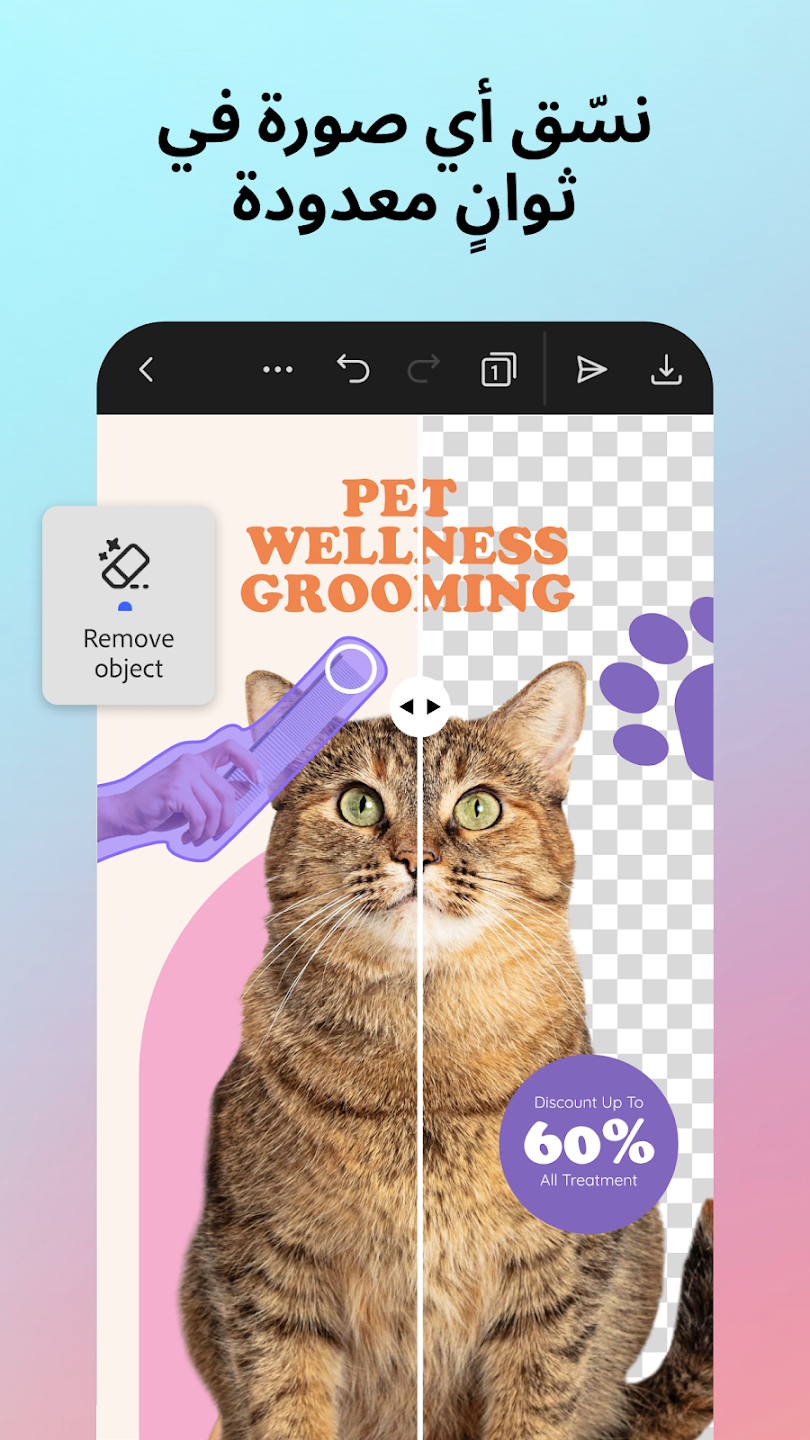
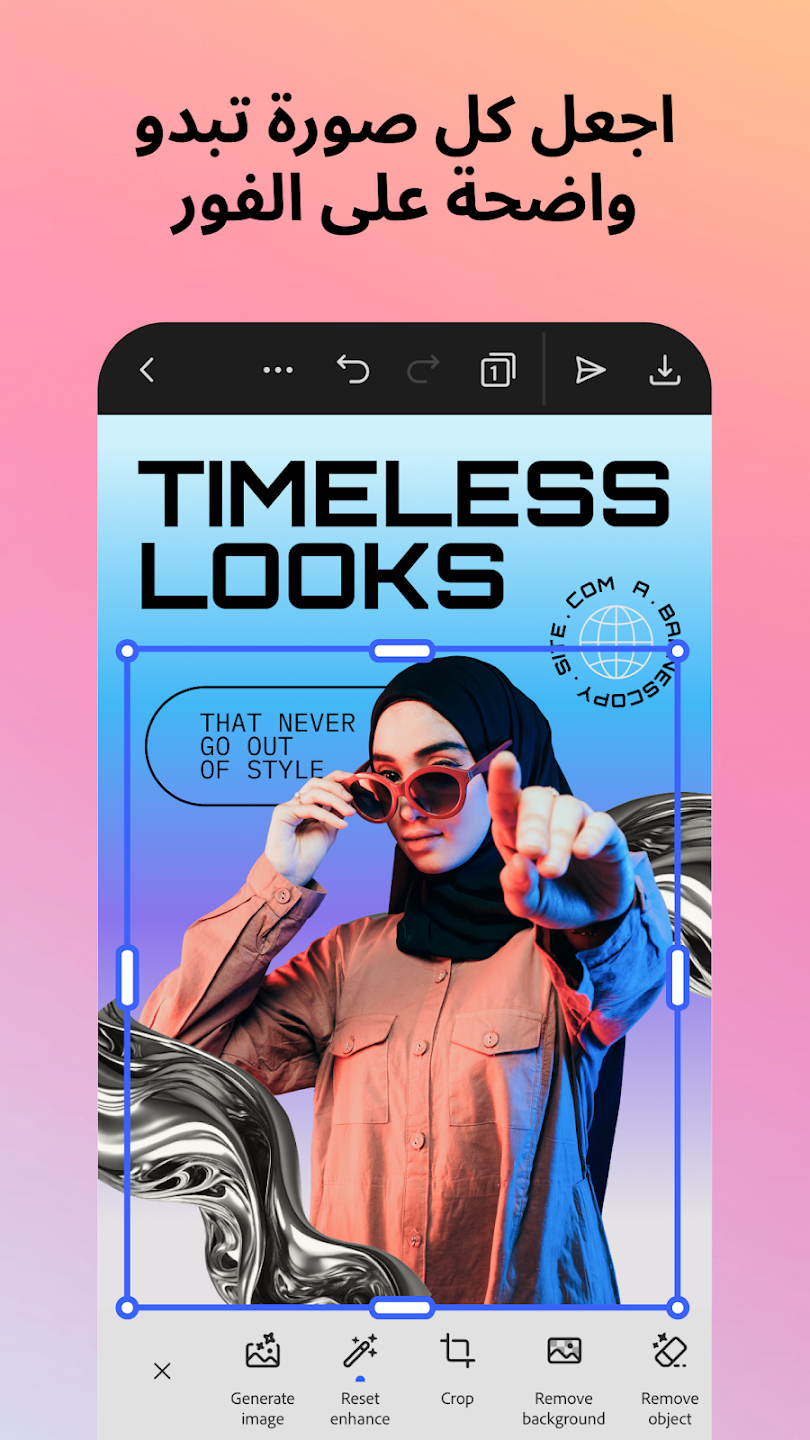
Users can quickly crop images, resize them, adjust brightness, remove unwanted backgrounds, apply filters, and enhance photos without needing advanced editing experience.
AI-Powered Design Tools
Adobe Express includes artificial intelligence features that simplify content creation. Depending on availability, users can generate images, remove backgrounds, expand images, or apply creative effects using AI technology.
Video Editing
The app also provides basic video editing tools, allowing users to trim clips, add transitions, insert music, include text overlays, and create short promotional videos.
Brand Kit Support
Businesses and creators can maintain consistent branding by saving logos, colors, and fonts for future projects.
Cloud Synchronization
Projects can be saved online, allowing users to continue editing across multiple devices without losing progress.
User Experience
Adobe Express focuses on simplicity while still offering professional-quality results.
The interface is clean, responsive, and beginner-friendly. Most editing tools are easy to locate, making the learning curve relatively short even for first-time users.
Templates are organized into categories, helping users quickly find designs for different occasions.
Performance
The application performs smoothly on most modern smartphones and tablets.
Editing images and creating graphics is generally fast, while more advanced AI-powered features may take slightly longer depending on internet speed and device performance.
Overall, Adobe Express offers a stable and reliable editing experience.
Who Should Use Adobe Express?
Adobe Express is ideal for:
- Social media creators
- Small business owners
- Students
- Teachers
- Bloggers
- Marketing professionals
- Freelancers
- Anyone who wants to create attractive designs without learning professional design software
Advantages
- Beginner-friendly interface.
- Large collection of templates.
- AI-powered creative tools.
- Cross-platform support.
- Cloud project synchronization.
- Fast image editing.
- Video creation features.
- Trusted Adobe ecosystem.
Limitations
- Some premium templates require a subscription.
- Advanced professional editing tools are more limited than full desktop software.
- Internet access may be required for certain AI features.
- Performance depends on device specifications for larger projects.
Free vs. Premium
The free version includes many templates, editing tools, and creative features suitable for personal and everyday use.
Premium plans provide additional templates, advanced AI capabilities, expanded storage, premium assets, and more customization options for professional users.
Tips for Better Results
To make the most of Adobe Express:
- Start with a template that matches your project.
- Keep your design simple and consistent.
- Use high-quality images for better visual results.
- Save your brand colors if you create content regularly.
- Preview designs before exporting them.
Is Adobe Express Safe?
Adobe Express is developed by Adobe, a well-established software company. The app provides account management options and privacy controls. Users should review Adobe's privacy settings and avoid uploading confidential information unless necessary.
Final Verdict
Adobe Express is an excellent choice for users who want to create professional-quality graphics and videos without spending hours learning complex design software.
Its combination of ready-made templates, AI-powered tools, cloud synchronization, and simple interface makes it suitable for beginners and experienced creators alike.
Whether you're designing social media posts, promotional materials, school projects, or marketing content, Adobe Express offers an efficient and enjoyable creative experience.